HPC-Cluster@RRZE

Suche


23. August 2012

Why cfx5solve from Ansys-13.0 fails on SuSE SLES11SP2 …

Thomas Zeiser, 21:46 Uhr in HPC-Cluster@RRZE, Software

Recently, the operating system of one of RRZE’s HPC clusters was upgraded from SuSE SLES10 SP4 to SuSE SLES11 SP2 … one of the few things which broke due to the OS upgrade is Ansys/CFX-13.0. cfx5solve now aborts with

ccl2flow: * command language error *
Message: getChildList: unable to find the requested path
Context: returned by cclApi call

As one can expect, Ansys does not support running Ansys-13.0 on SuSE SLES11 or SLES11 SP2. There are also lots of reports on this error for different unsupported OS versions in the CFX forum at cfd-online but no explanations or workarounds yet.

So, where does the problem come from? A long story starts …

First guess: SuSE SLES11 SP2 runs a 3.0 kernel. Thus, there might be some script which does not correctly parse the uname or so. However, the problem persists if cfx5solve is run using uname26 (or the equivalent long setarch variant). On the other hand, the problem does not occur if e.g. a CentOS-5 chroot is started on the SLES11 SP2 kernel, i.e. still the same kernel but old user space. This clearly indicates that it is no kernel issue but some library or tool problem.

Next guess: Perl comes bundled with Ansys/CFX but it might be some other command line tool from the Linux distribution which is used by cfx5solve, e.g. sed and friends or some changed bash behavior. Using strace on cfx5solve reveals several calls of such tools. But actually, none of them is problematic.

Thus, it must be a library issue: Ansys/CFX comes with most of the libraries it needs bundled but there is always the glibc, i.e. /lib64/ld-linux-x86-64.so.2, /lib64/libc.so.6, etc. SuSE SLES10 used glibc-2.4, RHEL5 uses glibc-2.5 but SLES11 SP2 uses glibc-2.11.3

The glibc cannot be overwritten using LD_LIBRARY_PATH as any another library. But there are ways to do it anyway …

The error message suggests that ccl2flow.exe is causing the problems. So, let’s run that with an old glibc version. As cfx5solve allows specifying a custom ccl2flow binary we can use a simple shell script to call the actual ccl2flow.exe using the loader and glibc libraries from the CentOS5 glibc-2.5. Nothing changes; still the very same getChildList error message in the out file. Does that mean that ccl2flow.exe is not the bad guy?

Interlude: Let’s see how ccl2flow.exe is called. The shell wrapper for ccl2flow was already there, thus, let’s add some echo statements to the command line arguments and a sleep statement to inspect the working directory. Et vola. On a good system, a quite long ccl file has just been created before ccl2flow is called; however, on a bad system running the new OS the ccl file is almost empty. Thus, we should not blame ccl2flow.exe but what happens before. Well, before there is just the Ansys supplied perl running.

Let’s have a closer look at the perl script: Understanding what the cfx5solve Perl script does seems to be impossible. Even if the Perl script is traced on a good and bad system there are no real insights. At some point, the bad system does not return an object while the other does. Thus, let’s run perl using the old glibc version. That’s a little bit more tricky as cfx5solve is not a binary but a shell script which calls another shell script before finally calling an Ansys-supplied perl binary. But one can also manage these additional difficulties. Et vola, the error message disappeared. What’s going on? Perl is running fine but producing different results depending on the glibc version.

Interlude Ansys/CFX-14.0: This version if officially only supported on SuSE SLES11 but not SLES11 SP2 if I got it correctly. But it runs fine on SLES11 SP2, too. What Perl version do they use? Exactly the same version, even the very same binary (i.e. both binaries have the same checksum!). Thus, it is not the Perl itself but some CFX-specific library it dynamically loads.

End of the story? Not yet but Almost. Spending already so much time on the problem I finally wanted to know which glibc versions are good or evil. I already knew Redhat’s glibc-2.5 is good and SuSE’s glibc-2.11.3 is evil. Thus, let’s try the versions in between using the official sources from ftp.gnu.org/gnu/glibc. Versions <2.10 or so require a fix for the configure script to recognice a modern as or ld as good version. A few versions do not compile properly at all on my system. But there is no bad version, even with 2.11.3 there is no CFX error. Only starting from glibc-2.12.1 on there is the well-known ccl2flow error. Not really surprising. SuSE and other Linux distributors have long lists of patches they apply, including back-ports from newer releases. There are almost 100 SuSE patches included in their version of glibc-2.11.3-17.39.1; no chance to see what they are doing.

My next guess is that the problem must be a commit between 2.11.3 and 2.12.1 of the official glibc versions. GNU proves a Git repository and git bisect is your friend. This leads to commit f89d2f30 from Dec. 2009: Enable multiarch whenever possible. This commit did not change any actual code but only the default configuration parameters. That means, the code causing the fault must be in the sources already much before. It only debuted once multi-arch was switched on in 2.12.1 of the vanilla version or earlier in the SuSE version (the spec file contains an --enable-multi-arch line; proved).

Going back in history, it finally turns out that glibc commit ab6a873f from Jun 2009 (SSSE3 strcpy/stpcpy for x86-64) is responsible for the problems leading to the failing ccl2flow.

Unfortunately, it is not possible to see if the most recent glibc versions still cause problems as cfx5solve already aborts earlier with some error message (Can’t call method “numstring” on an undefined value).

It is also not clear whether it is a glibc error, a problem in one of the CFX library or if it just because of the tools used when Ansys-13.0 was compiled.

End of the story: If you a willing to take the risk of getting wrong results, you may make v130/CFX/tools/perl-5.8.0-1/bin/Linux-x86_64/perl use an older glibc version (or one compiled without multi-arch support) and thus avoid the ccl2flow error. But who knows what else fails visibly or behind the scene. There is a unknown risk of wrong results even if cfx5solve now runs in principle on SuSE SLES11 SP2.

I fully understand that users do not want to switch versions within a running project. Thus, it is really a pity that ISVs force users (and sys admins) to run very old OS versions. SuSE SLES 10 was released in 2006 and will reach end of general support in July 2013; SLES11 was released in March 2009 while Ansys13 was released only in autumn 2010. And we still shall stick to SLES10? It’s time to increase the pressure on ISVs or to start developing in-house codes again.

17. Dezember 2011

Additional throughput nodes added to Woody cluster

Thomas Zeiser, 11:49 Uhr in HPC-Cluster@RRZE

Recently, 40 additional nodes with an aggregated AVX-Linpack performance of 4 TFlop/s have been added to RRZE’s Woody cluster. The nodes were bought by RRZE and ECAP and shall provide additional resources especially for sequential and single-node throughput calculations. Each node has a single-socket socket with Intel’s latest “SandyBridge” 4-core CPUs (Xeon E3-1200 series), 8 GB of main memory, currently no harddisk (and thus no swap) and GBit ethernet.

Current status: most of the new nodes are available for general batch processing; the configuration and software environment stabilized

Open problems:

  • no known ones

User visible changes and solved problems:

  • End of April 2012: all the new w10xx nodes got their harddisk in the meantime and have been reinstalled with SLES10 to match the old w0xx nodes
  • The module command was not available in PBS batch jobs; fixed since 2011-12-17 by patching /etc/profile to always source bashrc even in non-interactive shells
  • The environment variable $HOSTNAME was not defined. Fixed since 2011-12-19 via csh.cshrc.local and bash.bashrc.local.
  • SMT disabled on all nodes (since 2011-12-19). All visible cores are physical cores.
  • qsub is now generally wrapped – but that that should be completely transparent for users (2012-01-16).
  • /wsfs = $FASTTMP is now available, too (2012-01-23)

Configuration notes:

  • The additional nodes are named w10xx.
  • The base operating system is Ubuntu 10.04 LTS. SuSE SLES10 as on the rest of Woody.
    • The diskless images provisioned using Perceus. Autoinstall + cfengine
    • This is different to the rest of Woody which has stateful SuSE SLES10SP4.
    • However, Tiny* for example also uses Ubuntu 10.04 (but in a stateful installation) and binaries should run on SLES and Ubuntu without recompilation.
  • The w10xx nodes have python-2.6 while the other w0xxx nodes have python-2.4. You can load the python/2.7.1 module to ensure a common Python environment.
  • compilation of C++ code on the compute nodes using one of RRZE’s gcc modules will probably fail; however, we never guaranteed that compiling on any compute nodes works; either use the system g++, compile on the frontend nodes, or …
  • The PBS daemon (pbs_mom) running on the additional nodes is much newer than on the old Woody nodes (2.5.9 v.s. 2.3.x?); but the difference should not be visible for users.
  • Each PBS job runs in a cpuset. Thus, you only have access to the CPUs assigned to you by the queuing system. Memory, however, is not partitioned. Thus, make sure that you only use less than 2 GB per requested core as memory constraints cannot be imposed.
  • As the w10xx nodes currently do not have any local harddisk, they are also operated without swap. Thus, the virtual address space and the physically allocated memory of all processes must not exceed 7.2 GB in total. Also /tmp and /scratch are part of the main memory. Stdout and stderr of PBS jobs are also first spooled to main memory before they are copied to the final destination after the job ended.
  • multi-node jobs are not supported as the nodes are a throughput component

Queue configuration / how to submit jobs:

  • The old w0xx nodes got the properties :c2 (as they are Intel Core2-based) and :any.
    The addition w10xx nodes got the properties :sb (as they are Intel SandyBridge-based) and :any.
  • Multi-node jobs (-lnodes=X:ppn=4 or -lnodes=X:ppn=4:c2 with X>1) are only eligible for the old w0xx nodes. :c2 will be added automatically if not present.
    Multi-node jobs which ask for :sb or :any are rejected.
  • Single-node jobs (-lnodes=1:ppn=4) by default also will only access the old w0xx nodes, i.e. :c2 will be added automatically if no node property is given. Thus, -lnodes=1:ppn=4 is identical to requesting -lnodes=1:ppn=4:c2.
    Single-node jobs which specify :sb (i.e. -lnodes=1:ppn=4:sb) will only go to the new w10xx nodes.
    Jobs with :any (i.e. -lnodes=1:ppn=4:any) will run on any available node.
  • Single-core jobs (-lnodes=1:ppn=Y:sb with Y<4, i.e. requesting less than a complete node) are only supported on the new w10xx nodes. Specifying :sb is mandatory.

Technical details:

  • PBS routing originally did not work as expected for jobs where the resource requests are given on the command line (e.g. qsub -lnodes=1:ppn=4 job.sh caused trouble).
    Some technical background: (1) the torque-submitfilter cannot modify the resource requests given on the command line and (2) routing queues cannot add node properties to resource requests any more, thus, for this type of job routing to the old nodes does not seem to be possible … Using distinct queues for the old and new nodes has the disadvantage that jobs cannot ask for “any available CPU”. Moreover, the maui scheduler does not support multi-dimensional throttling policies, i.e. has problems if one user submits jobs to different queues at the same time.
    The solution probably is a wrapper around qsub as suggested in the Torque mailinglist back in May 2008. At RRZE we already use qsub-wrappers for e.g. qsub.tinyblue. Duplicating some of the logic of the submit filter into the submit wrapper is not really elegant but seems to be the only solution right now. (As a side node: interactive jobs do not seem to suffer from the problem as there is special handling in the qsub source code which writes the command line arguments to a temporary file which is subject to processing by the submit filter.)

9. Februar 2011

Selecting a GPU with CUDA_VISIBLE_DEVICES

Thomas Zeiser, 10:59 Uhr in HPC-Cluster@RRZE

The environment variable CUDA_VISIBLE_DEVICES lists which devices are visible as a comma-separated string. E.g. export CUDA_VISIBLE_DEVICES=0,3 will select an C2070 and C2050 on the tg010 compute node of TinyGPU.

26. Oktober 2010

Getting started on LiMa

Thomas Zeiser, 18:00 Uhr in HPC-Cluster@RRZE

Early friendly user access was enabled on LiMa end of October 2010. The system and user environment is still in progress. Here are a few notes (“FAQs”) describing specialties of the present configuration and major changes during the early days of operation …

What are the hardware specifications

  • 2 login nodes (lima1/lima2)
    • two-sockets with Intel Westmere X5650 (2.66 GHz) processors; 12 physical cores, 24 logical cores per node
    • 48 GB DDR3 memory (plus 48 GB swap)
    • 500 GB in /scratch on a local harddisk
  • 500 compute nodes (Lrrnn)
    • two-sockets with Intel Westmere X5650 (2.66 GHz) processors; 12 physical cores, 24 logical cores per node
    • 24 GB DDR3 memory (NO swap) - roughly 22 GB available for user applications as the rest is used for the OS in the diskless operation
    • NO local harddisk
    • QDR Infiniband
  • parallel filesystem (/lxfs)
    • ca. 100 TB capacity
    • up to 3 GB/s of aggregated bandwidth
  • OS: CentOS 5.5
  • batch system: torque/maui (as also on the other RRZE systems)

Where / how should I login?

SSH to lima.rrze.uni-erlangen.de and you will end up on one of the two login nodes. As usual, these login nodes are only assessable from within the University network. A VPN-split-tunnel might not be enough to be on the University network as some of the Universities' priviate IP addresses as e.g. used by the HPC systems are not added to the default list of networks routed through the split tunnel. In case of problems, log into cshpc.rrze.uni-erlangen.de first.

I have some specific problems on LiMa

First of all check if the issue is already described in the online version of the article. If not, contact hpc-support@rrze with as much information as possible.

I'd like to contribute some documentation

Please add a comment to this article (Log into the Blog system using your IDM account/password which is not not necessarily identical to your HPC account. All FAU students and staff should have an IDM account) or send an email to hpc@rrze.

There are almost no modules visible (Update 2010-11-25)

For now, please execute source /apps/rrze/etc/user-rrze-modules.csh (for csh/tcsh) or . /apps/rrze/etc/use-rrze-modules.sh (for bash) to initialize the RRZE environment. This command will also set some environment variables like WOODYHOME or FASTTMP.

Once the system goes into regular operation, this step will no longer be required.

2010-11-25: The login and compute nodes nodes now already have the full user environment by default.

How should I submit my jobs

Always use ppn=24 when requesting nodes as each node has 2x6 physical cores but 24 logical cores due to SMT.

$FASTTMP is empty - where are my files from the parallel filesystem on Woody?

The parallel filesystem on Woody and LiMa are different and not shared. However, $FASTTMP is used on both systems to point to the local parallel filesystem.

How can I detect in my login scripts whether I'm on Woody or on LiMa

There are many different ways to detect this; one option is to test for /wsfs/$GROUP/$USER (Woody or some of the Transtec nodes) and /lxfs/$GROUP/$USER (LiMa).

In the future, we might provide an environment variable telling you the cluster (Transtec, Woody, TinyXY, LiMa).

Should I recompile my binaries for LiMa?

Many old binaries will run on LiMa, too. However, we recommend to recompile on the LiMa frontends as many of the tools and libraries are newer on LiMa in their default version as on Woody.

How do I start MPI jobs on LiMa? (Update: 2010-11-03; 2010-12-18)

First of all, correct placement ("pinning") of processes is much more important on LiMa (and also TinyXY) than on Woody (or the Transtec cluster) as all modern nodes as ccNUMA and you only achieve best performance if data access is into the local memory. Attend an HPC course if you do not know what ccNUMA is!

  1. Do not use the mpirun in the default $PATH if no MPI module is loaded. This hopefully will change when regular user operation starts. There is no mpirun in the default $PATH (unless you have the openmpi moule loadeed).
  2. For Intel-MPI to use an start mechanism more or less compatible to the other RRZE clusters use /apps/rrze/bin/mpirun_rrze-intelmpd -intelmpd -pin 0_1_2_3_4_5_6_7_8_9_10_11 .... In this way, you can explicitly pin all you processes as on the other RRZE clusters. However, this algorithm does not scale up to the highest process counts.
  3. An other option (currently only available on LiMa) is to use one of the official mechanisms of Intel MPI (assuming use use bash for your job script and intempi/4.0.0.028-[intel|gnu] is loaded):
    export PPN=12
    gen-hostlist.sh $PPN
    mpiexec.hydra -print-rank-map -f nodes.$PBS_JOBID [-genv I_MPI_PIN] -n XX ./a.out
    Attention: pinning does not work properly in all circumstances for this start method. See chapter 3.2 of /apps/intel/mpi/4.0.0.028/doc/Reference_Manual.pdf for more details on I_MPI_PIN and friends.
  4. An other option (currently only available on LiMa) is to use one of the official mechanisms of Intel MPI (assuming use use bash for your job script and intempi/4.0.1.007-[intel|gnu] is loaded):
    export PPN=12
    export NODES=`uniq $PBS_NODEFILE | wc -l`
    export I_MPI_PIN=enable
    mpiexec.hydra -rmk pbs -ppn $PPN -n $(( $PPN * $NODES )) -print-rank-map ./a.out
    Attention: pinning does not work properly in all circumstances for this start method. See chapter 3.2 of /apps/intel/mpi/4.0.1.0007/doc/Reference_Manual.pdf for more details on I_MPI_PIN and friends.
  5. There are of course many more possibilities to start MPI programs ...

Hints for Open MPI (2010-12-18)

Starting from today, the openmpi modules on LiMa set OMPI_MCA_orte_tmpdir_base=/dev/shm as $TEMPDIR points to a directory on the LXFS parallel filesystem and, thus, Open MPI might/would show bad performance for shared-memory communication.

Pinning can be achieved for Open MPI using mpirun -npernode $ppn -bind-to-core -bycore -n $(( $ppn * $nodes )) ./a.out

PBS output files already visible while the job is running (Update: 2010-11-04; 2010-11-25)

As the compute nodes run without any local harddisk (yes, there is only RAM and nothing else locally on the compute nodes to store things), we are experimenting with a special PBS/MOM setting which writes the PBS output files (*.[o|e]$PBS_JOBID or what you specified using PBS -[o|e]) directly to the final destination. Please do not rename/delete these files while the job is running and do not be surprised that you see the files while the job is running.

The special settings are: $spool_as_final_name and $nospool_dir_list in the mom_config. I'm not sure if we will keep these settings in the final configuration. They save space in the RAM of the compute node but there are also administrative disadvantages ...

2010-11-25: do not use #PBS -o filename or #PBS -e filename as PBS may cause trouble if the file already exists. Without the -o/-e PBS will generate files based on the script name or #PBS -N name and append .[o|e]$PBS_JOBID.

Do you like the torque $spool_as_final_name and $nospool_dir_list settings on LiMa


You have to login into the Blog system using your IDM account to be able to vote!

Where should I store intermediate files?

The best is to avoid intermediate files or small but frequent file IO. There is no local harddisk. /tmp is part of the main memory! Please consult hpc-support@rrze to assist analyzing your IO requirements.

Large files which are read/written in large blocks should be put to $FASTTMP. Remember: as on Woody there is no backup on $FASTTMP. There are currently also no quotas - but we will probably implement high-water-mark deletion as on Woody.

Small files probably should be put on $WOODYHOME.

File you want to keep for long time should be moved to /home/vault/$GROUP/$USER. The data access rate to /home/vault currently is limited on LiMa. Please use with care.

/tmp, $TMPDIR and $SCRATCH (2010-11-20 / update 2010-11-25)

As the nodes are diskless, /tmpis part of a ramdisk and does not provide much temporary scratch space. As of 2010-11-20, a new environment variable $SCRATCH is defined by use-rrze-module.csh/sh which points to a node-specific directory on the parallel filesystem. The PBS configuration is not yet adapted, i.e. $TMPDIR within a job still points to a job specific directory within the tiny /tmp directory.

2010-11-25: /scratch ($SCATCH) is a node-specific directory on LXFS. (At least once the compute nodes are rebooted.)

2010-11-25: $TMPDIR now points to a job-private directory within $SCRATCH, i.e. is on LXFS; all data in $TMPDIR will be deleted at the end of the job. (At least once the compute nodes are rebooted.)

/tmp is still small and part of the node's RAM.

mpirun from my commercial code aborts during startup with connection refused

On the LiMa nodes there are currently true rsh binaries installed. Make sure that the MPI implementation does not try to start remote processes using rsh as there are no RSH daemons running for security reasons as RSH is not installed and there are also no symlinks from rsh to ssh as on the other RRZE systems. Enforce the usage of SSH. The rsh binaries probably will be uninstalled before regular user operation and replaced by links to the ssh binary (as on most of the other RRZE clusters).

Update 2010-11-05: rsh and rsh-server have been uninstalled. There are however no links from rsh to ssh.

There is obviously some software installed in /opt (e.g. /opt/intel/ and /opt/openmpi)

Do not use any software from /opt. All these installations will be removed before regular user operation starts. RRZE-rpvoded software is in /apps and in almost all cases accessible through modules. /apps is not (and will not be) shared between LiMa and Woody.

My application tells that it could not allocate the required memory (Update 2010-11-12)

memory overcommit is limited on LiMa. Thus, not only the resident (i.e. actually) used memory is relevant but also the virtual (i.e. total) memory which sometimes is significantly higher. Complain to the application developer. There is currently no real work around on LiMa.
As we are still experimenting with the optimal values of the overcommit limitation, there might be temporal chances (including times when overcommitment is not limited).

Memory issues might also come from an inappropriate stacksize line in ~/.cshrc (or ~/.bashrc). Try to remove any stacksize line in your login scripts.

IO performance to $FASTTMP (/lxfs/GROUP/USER) seems to be very low (2010-11-03/2010-11-12)

The default striping is not optional yet; it uses only one OST, thus, performance is limited by roughly 100 MB/s. Use lfs setstripe --count -1 --size 128m DIRECTORY to manually activate striping over 16 OSTs. 2010-11-25: RRZE will activate reasonable file striping, thus, it should not be necessary for normal users to set striping manually. Modified striping only affects newly created files/subdirectories.

The stripe size (--size argument) should match your applications' IO patterns.

PBS commands do not work - but they used to work / Jobs are not started (2010-11-03)

The PBS server currently has a severe bug: If a jobs requests too much memory and thus crashed the master node of the job, the PBS server stalls for quite long time (several hours) and does not respond at all to any requests (although its running on a different server). This may lead to hanging user commands or error messages like pbs_iff: cannot read reply from pbs_server. No permission or cannot connect to server ladm1 or Unauthorized Request. And of course, while the PBS server process hangs, no new jobs are started.

If you are interested in the technical details: look at the bugzilla entry at
http://www.clusterresources.com/bugzilla/show_bug.cgi?id=85

mpiexec.hydra and LD_LIBRARY_PATH (2010-11-08)

It currently looks like mpiexec.hydra from Intel-MPI 4.0.0.x does not respect LD_LIBRARY_PATH settings. Further investigations are currently carried out. Right now it looks like an issue with the NEC login scripts on the compute nodes which overwrite the LD_LIBRARY_PATH setting.

Suggested workaround for now: mpiexec.hydra ... env LD_LIBRARY_PATH=$LD_LIBRARY_PATH ./a.out.

Other MPI start mechanisms might be affected, too.

2010-11-25: it's not clear if the work around is still required as mpi-selector/Oscar-modules/env-switcher have been uninstalled in the mean time.

MPI-IO and Intel MPI 4.0.1.007 (2010-12-09)

Probably not only a LiMa issue but also relevant on LiMa. MPI-IO to $FASTTMP with Intel MPI 4.0.1.007 (4.0up1) fails with "File locking failed" unless the following environment variables are set: I_MPI_EXTRA_FILESYSTEM=on I_MPI_EXTRA_FILESYSTEM_LIST=lustre. Intel MPI up to 4.0.0.028 worked fine without and with these variables set.

I_MPI_EXTRA_FILESYSTEM=on I_MPI_EXTRA_FILESYSTEM_LIST=lustre get set by the intelmpi/4.0.1.007-* module (since 2011-02-02)

STAR-CCM+ (2010-11-12)

Here is a (partially tested) sample job script:

#!/bin/bash -l
#PBS -l nodes=4:ppn=24
#PBS -l walltime=00:25:00
#PBS -N simXYZ
#PBS -j eo

# star-ccm+ arguments
CCMARGS="-load simxyz.sim"

# specify the time you want to have to save results, etc.
TIME4SAVE=1200

# number of cores to use per node
PPN=12

# some MPI options; explicit pinning - must match the PPN line
MPIRUN_OPTIONS="-cpu_bind=v,map_cpu:0,1,2,3,4,5,6,7,8,9,10,11"

### normally, no changes should be required below ###

module add star-ccm+/5.06.007

echo

# count the number of nodes
NODES=`uniq ${PBS_NODEFILE} | wc -l`
# calculate the number of cores actually used
CORES=$(( ${NODES} * ${PPN} ))

# check if enough licenses should be available
/apps/rrze/bin/check_lic.sh -c ${CDLMD_LICENSE_FILE} hpcdomains $(($CORES -1)) ccmpsuite 1
. /apps/rrze/bin/check_autorequeue.sh

# change to working directory
cd ${PBS_O_WORKDIR}

# generate new node file
for node in `uniq ${PBS_NODEFILE}`; do
  echo "${node}:${PPN}"
done > pbs_nodefile.${PBS_JOBID}

# some exit/error traps for cleanup
trap 'echo; echo "*** Signal TERM received: `date`"; echo; rm pbs_nodefile.${PBS_JOBID}; exit' TERM
trap 'echo; echo "*** Signal KILL received: `date`"; echo; rm pbs_nodefile.${PBS_JOBID}; exit' KILL

# automatically detect how much time this batch job requested and adjust the
# sleep accordingly
export TIME4SAVE
( sleep ` qstat -f ${PBS_JOBID} | awk -v t=${TIME4SAVE}                 \
    '{if ( $0 ~ /Resource_List.walltime/ )                              \
        { split($3,duration,":");                                       \
          print duration[1]*3600+duration[2]*60+duration[3]-t }}' ` &&  \
  touch ABORT ) >& /dev/null  &
SLEEP_ID=$!

# start STAR-CCM+
starccm+ -batch -rsh ssh -mppflags "$MPIRUN_OPTIONS" -np ${CORES} -machinefile pbs_nodefile.${PBS_JOBID} ${CCMARGS}

# final clean up
rm pbs_nodefile.${PBS_JOBID}
pkill -P ${SLEEP_ID}

Solved issues

  • cmake - (2010-10-26) - rebuilt from sources; should work now without dirty LD_LIBRARY_PATH settings
  • svn - (2010-10-26) - installed CentOS rpm on the login nodes; the version unfortunately is a little bit old (1.4.2); however, there is no real chance to get a newer on on LiMa. Goto cshpc to have at least 1.5.0
  • qsub from compute nodes - (2010-10-26) - should work now; added allow_node_submit=true to PBS server
  • vim - (2010-10-27) - installed CentOS rpm of vim-enhanced on the login nodes
  • autologout - (2010-10-27) - will be disabled for CSH once /apps/rrze/etc/use-rrze-modules.csh is sourced
  • xmgrace, gnuplot, (xauth) - (2010-11-02) - installed on the login nodes; version from CentOS rpm
  • clock skew on /lxfs ($FASTTEMP) is now hopefully really fixed (2010-11-04)
  • rsh and rsh-server have been uninstalled from compute/login/admin nodes (2010-11-05)
  • several usability improvements added to use-rrze-modules.csh/sh (2010-11-19)
13. Oktober 2010

LiMa, LIKWID und der Turbo Boost

Thomas Zeiser, 20:00 Uhr in HPC-Cluster@RRZE

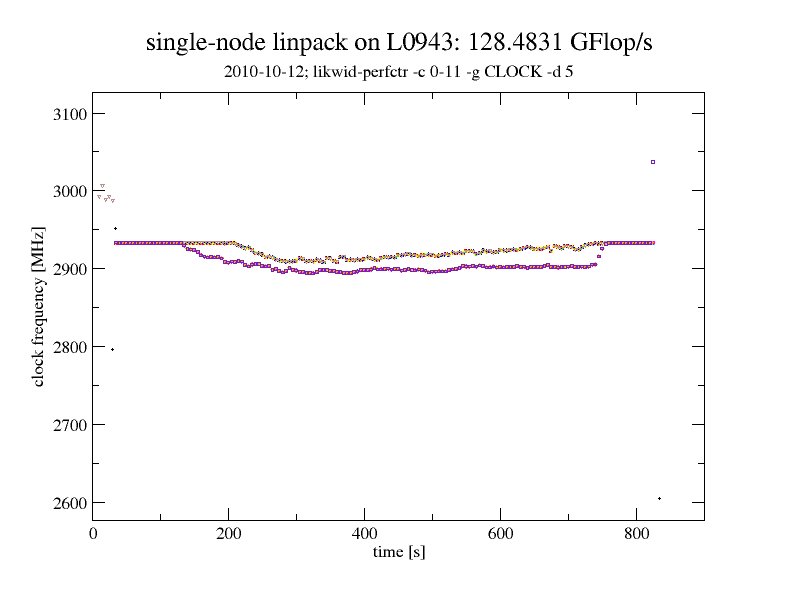
Intel hat mit den Nehalem-Prozessoren (Xeon X55xx bzw. Core i7) den Turbo Boost-Modus eingeführt, bei dem stark vereinfacht gesagt, einzelne Prozessorkerne automatisch höher takten können, wenn nur Teile des gesamten Prozessorchips genutzt werden und somit “Luft” bei Stromverbrauch, Spannung und Temperatur ist. Im LiMa-Cluster sind Intel Westmere Prozessoren mit 2,66 GHz (Intel Xeon X5650) verbaut. Diese Prozessoren erlaubt prinzipiell (bis zu) zwei Turbo Boost-Stufen (+2×133 MHz), auch dann wenn alle Kerne benutzt sind, und bis zu drei Turbo Boost-Stufen (+3×133 MHz), wenn maximal zwei der sechs Kerne eines Prozessorchips in Benutzung sind (vgl. Tabelle 2 im Intel Xeon Processor 5600 Series Specification Update vom September 2010). Das heißt unter günstigen Bedingungen laufen alle Prozessorkerne auch unter Volllast mit 2,93 GHz obwohl man eigentlich nur einen 2,66 GHz-Prozessor gekauft hat.

zeitlich aufgelöste Taktfrequenz beim LINPACK-Lauf auf einem guten Knoten

Dass annähernd zwei volle Turbo Boost-Stufen auch unter Vollast möglich sind, zeigt nebenstehende Grafik. Hierbei wurde mit einer Auflösung von 5 Sekunden die Taktfrequenz aller physikalischen Kerne im Knoten mittels LIKWID gemessen, während auf dem Knoten die multi-threaded LINPACK-Version aus Intel’s MKL lief. Bevor die LINPACK-Prozesse anlaufen, haben die Prozessorkerne aufgrund der ondemand-Frequenzeinstellung im Linux-Betriebssystem heruntergetaktet. Sobald “Last” generiert wird, takten die Prozessoren hoch. Wenn nach etlichen Sekunden die Prozessoren “durchgeheizt” sind, sinkt die Taktfrequenz nur leicht von 2,93 GHz auf rund 2,90 GHz. Am Ende des bzw. kurz nach dem LINPACK-Lauf takten die Prozessoren kurzfristig nochmals hoch, da zum einen die Last geringer geworden ist und somit die thermischen und elektrischen Grenzwerte für den Turbo Boost-Mode unterschritten sind, gleichzeitig der ondemand-Regler des Linux-Betriebssystems die Prozessoren aber noch nicht herunter getaktet hat. In der Grafik sind im wesentlichen nur zwei Kurven zu erkennen, obwohl es eigentlich 12 sind, da alle Kerne eines Sockels praktisch immer mit der gleichen Frequenz laufen.

zeitlich aufgelöste Taktfrequenz beim LINPACK-Lauf auf einem schlechten Knoten

Leider laufen jedoch nicht immer alle X5650-Prozessoren unter Volllast mit annähernd zwei Turbo Boost-Stufen, d.h. 2,93 GHz, wie die zweite Grafik zeigt. Hier takten die Rechenkerne über weite Teile des LINPACK-Laufs auf “nur” 2,7 GHz herunter, wodurch die gemessene Knotenleistung von rund 128,5 GFlop/s auf 120,5 GFlop/s sinkt — über 5% die man sicherlich auch in der einen oder anderen Form bei realen Anwendungen und nur nicht nur beim synthetischen LINPACK sieht.

Über die Ursachen der geringeren Übertaktung des zweiten Knotens kann derzeit nur spekuliert werden. Die Wärmeleitpaste zwischen den Prozessoren und den Kühlkörpern ist es jedenfalls nachweislich nicht. Ebenso ist es nicht das Netzteil oder die Position im Rack, da ein Umzug des Rechenknoten in ein anderes Enclosure in einem anderen Rack keine Besserung brachten. BIOS-Version, CMOS-Einstellung und CPU-Stepping sollten hoffentlich bei allen Knoten auch gleich sein. Dass zwei Prozessoren aus Hunderten eine Macke haben, mag ja durchaus sein, aber wie wahrscheinlich ist es, dass genau diese zwei Prozessoren dann auch noch im gleichen Rechner verbaut werden … Als wahrscheinlichste Ursache würde ich daher im Moment “Toleranzen” bei den Mainboards vermuten, die sich negativ auswirken. Aber Details wird NEC sicherlich im eigenen und unseren Interesse noch herausfinden …

Performance-Messtools wie LIKWID zahlen sich auf jeden Fall auch für die Abnahme von HPC-Clustern aus.

Hier nochmal sinngemäß die Befehle, die ich zur Messung verwendet habe: (LIKWID 2.0 ist dabei aufgrund des Daemon-Modus mindestens nötig und /dev/cpu/*/msr muss durch den aufrufenden User les- und schreibbar sein):

/opt/likwid/2.0/bin/likwid-perfctr -c 0-11 -g CLOCK -d 5 | tee /tmp/clock-speed-`hostname`-`date +%Y%m%d-%H%M`.log > /dev/null &
sleep 15
env OMP_NUM_THREADS=12 taskset -c 0-11 /opt/intel/Compiler/11.1/073/mkl/benchmarks/linpack/xlinpack_xeon64 lininput_xeon64-50k
sleep 15
kill $! >& /dev/null

Da die Taktfrequenz eine abgeleitete Größe ist, kann es vorkommen, dass einzelne CPUs nan als Taktfrequenz liefern, wenn keine Instruktionen ausgeführt werden. Aber das ist natürlich nur dann der Fall, wenn auch kein Programm auf dem Prozessorkern läuft.

5. Oktober 2010

LiMa, Kühlschränke und Toster

Thomas Zeiser, 18:06 Uhr in HPC-Cluster@RRZE

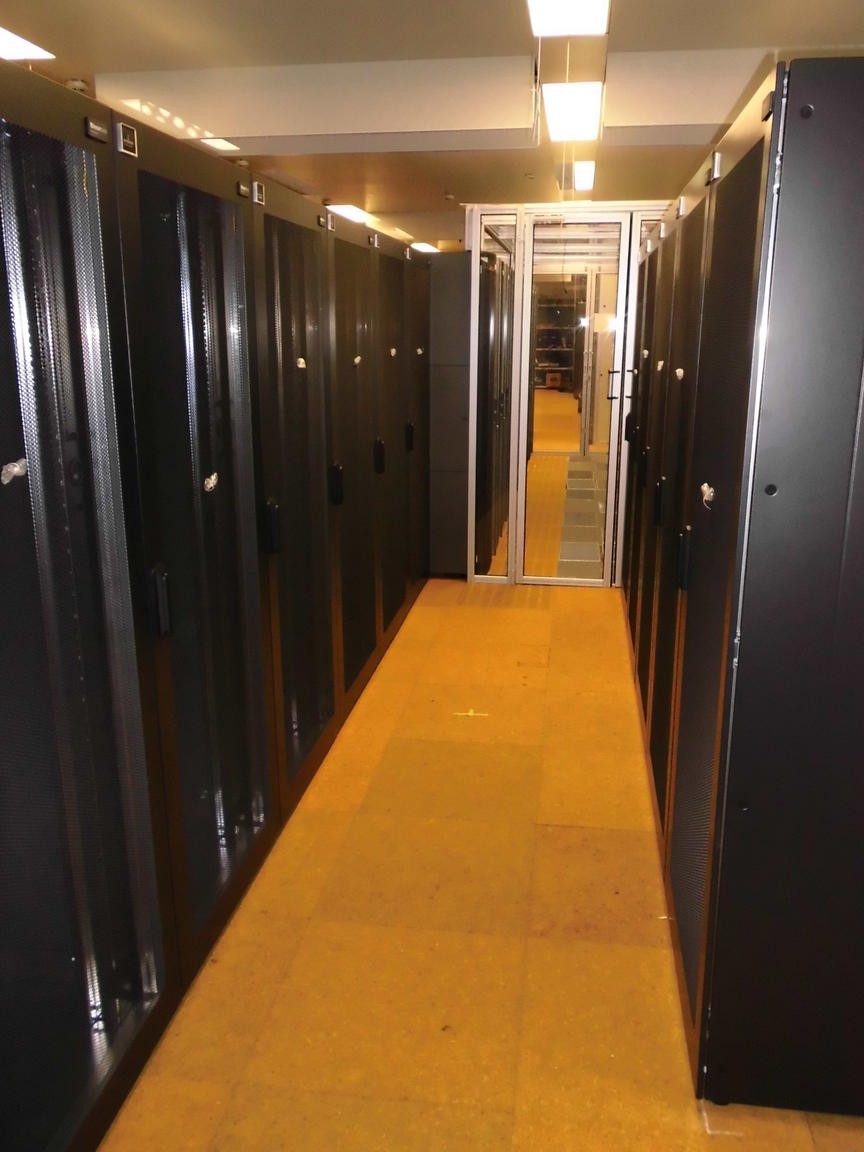
Unser neuer HPC-Cluster hat geschlossene Racks mit Kühleinheiten dazwischen (vgl. http://blogs.fau.de/zeiser/2010/09/21/rechnerzuwachs-und-generationswechsel-bei-den-hpc-clustern-am-rrze/). Auf die Mail meines Kollegen mit der Bitte um DNS-Einträge für die Kühlschränke kam als Antwort …wenn Ihr bei den Toastern angelangt seid, nehmt ihr aber IPv6. Die Rechenknoten sind zwar so etwas ähnliches wie Toster, haben aber trotzdem IPv4-Adressen.

Aktueller LiMa-Status:

Zurück zu den ernsten Dingen: der mechanische Aufbau und die Verkabelung des Clusters sind praktisch abgeschlossen und am vergangenen Donnerstag (30.9.2010) wurden erstmals alle Knoten des neuen Clusters eingeschaltet. Es geht also voran ….

Ein paar weitere Impressionen vom Aufbau:

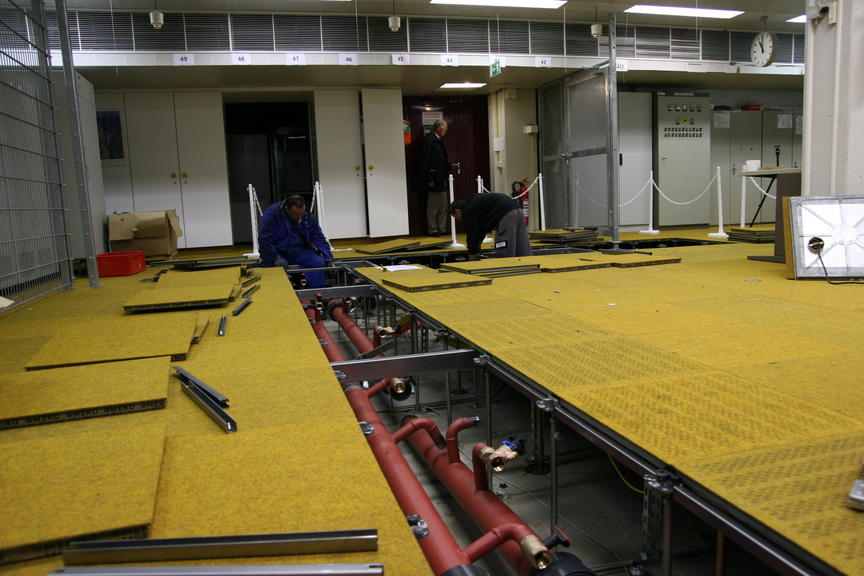
Verlegung der Rohre im Doppelboden


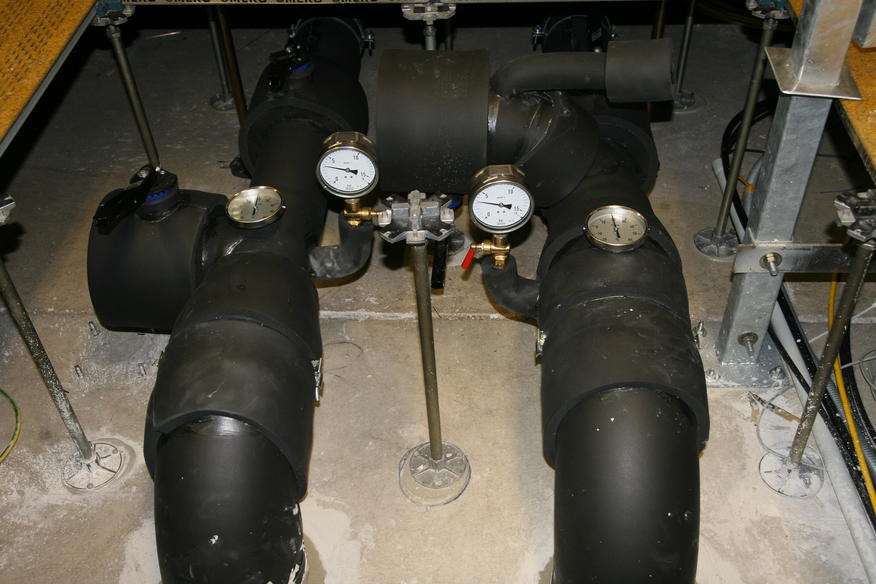
Kaltwasserrohre mit Isolierung im Doppelboden. Man beachte das Verhältnis von Wasserrohrdurchmesser und Dicke der Stützen des Doppelbodens!

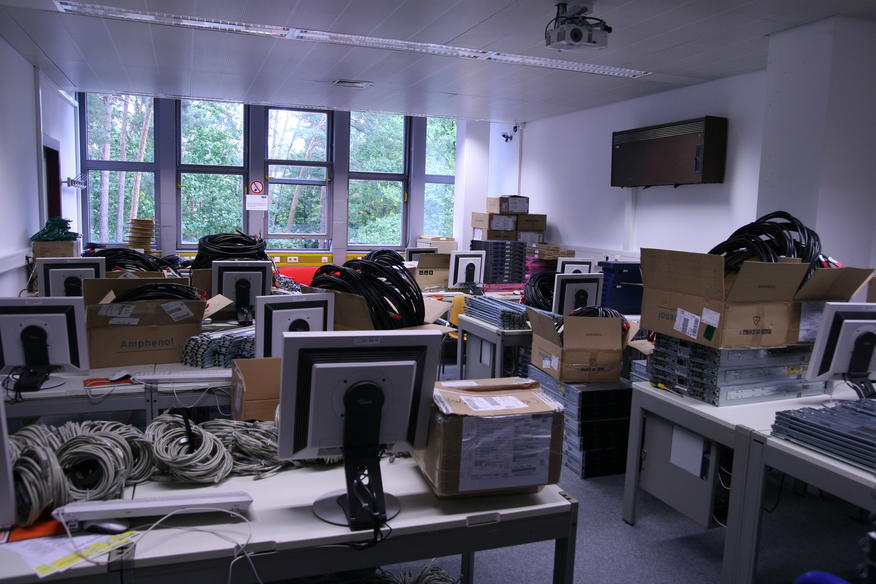
Zwischenlagerung der Rechenknoten und Kabel


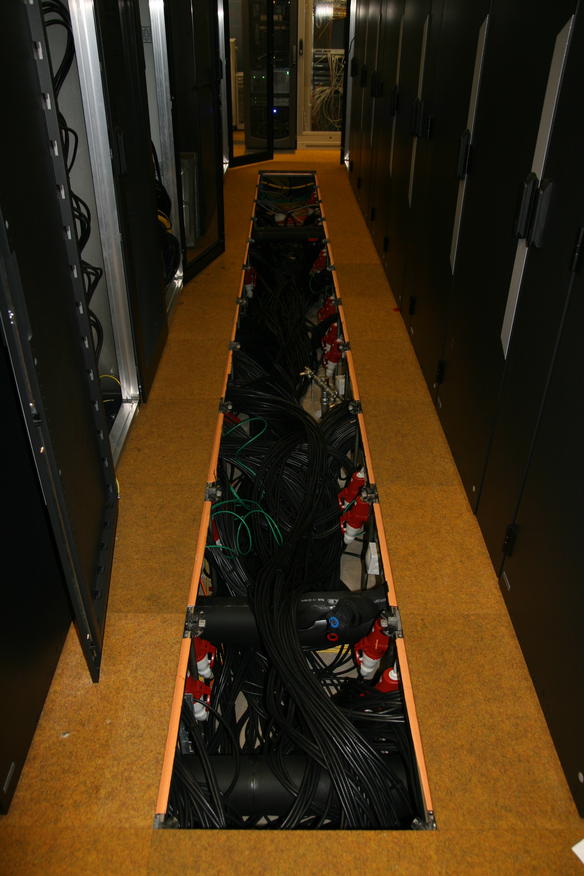
Rohre und Infinibandkabel im Doppelboden

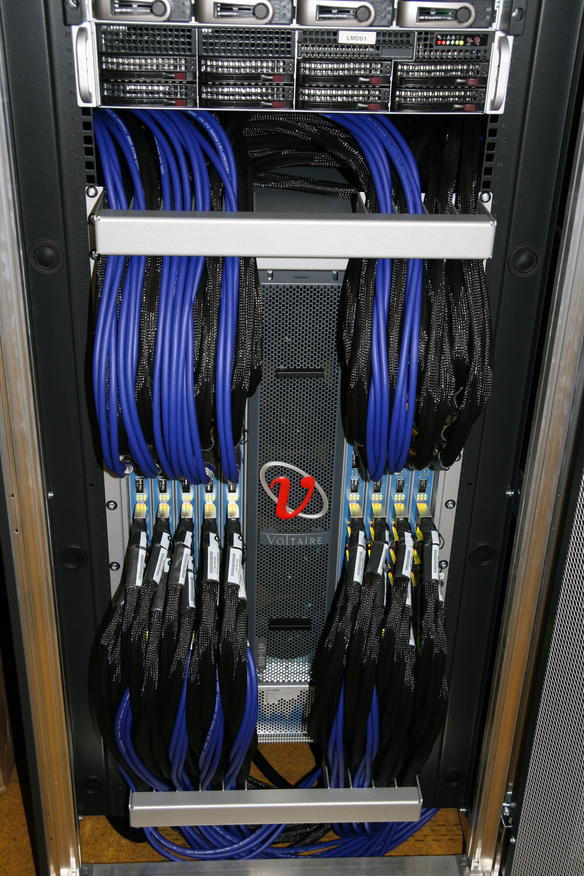
Vorderseite des 324-Port Infiniband-Switches mit 12x Kabeln zu weiteren Leave-Switches


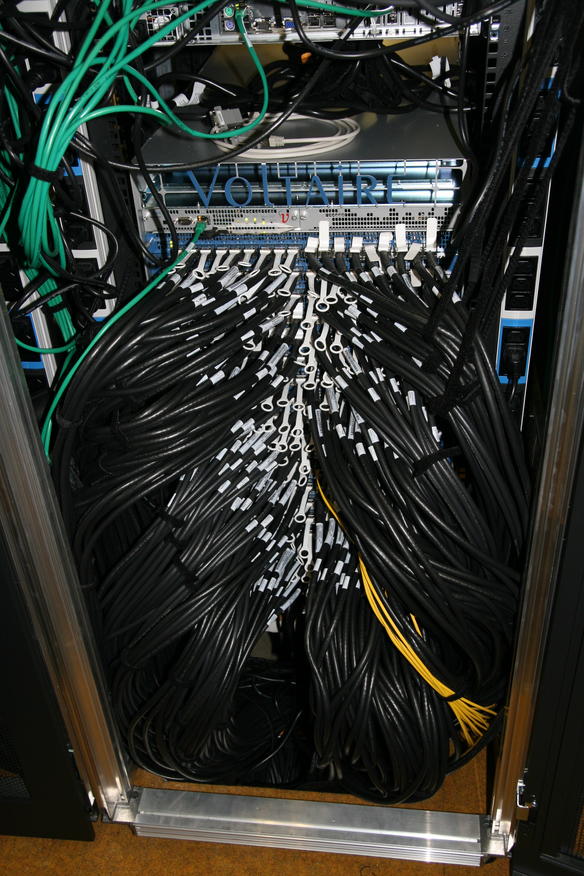
Rückseite des Infiniband-Switches - gut 300 Kupferkabel und einige optische Infiniband-Kabel

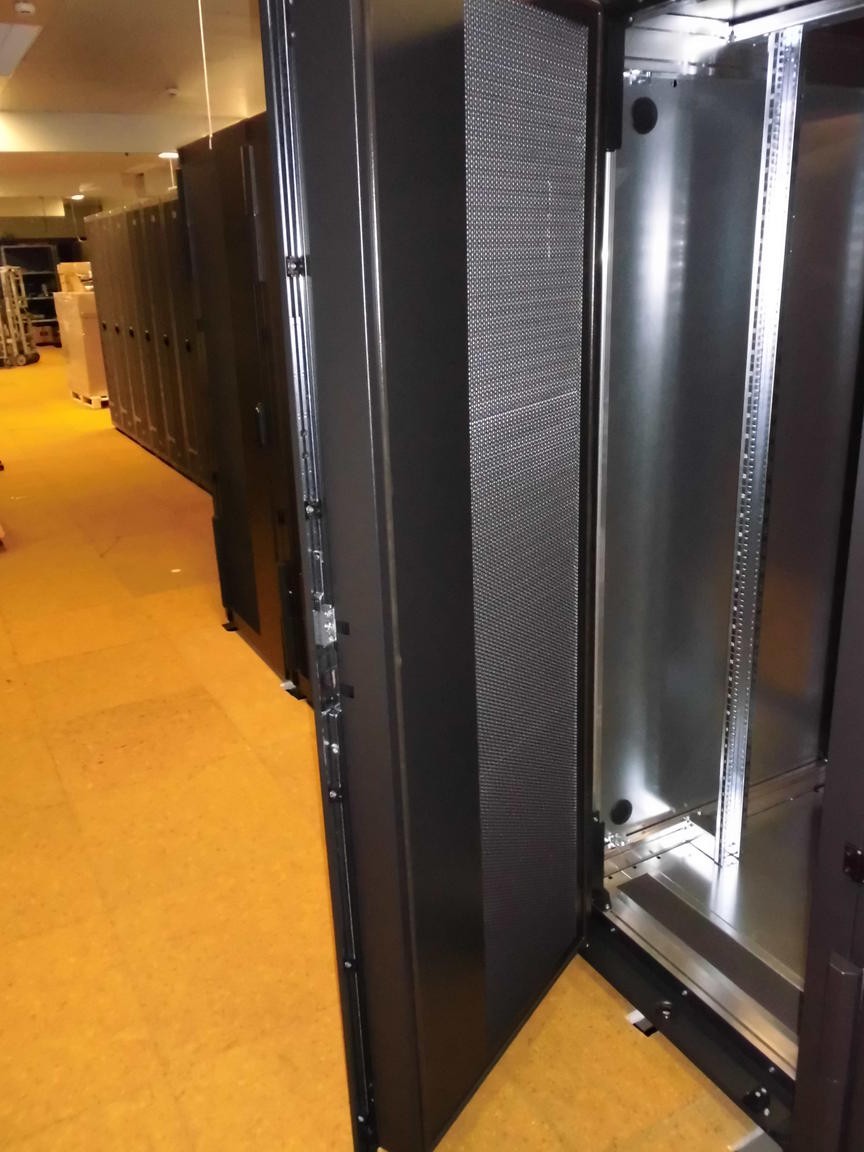
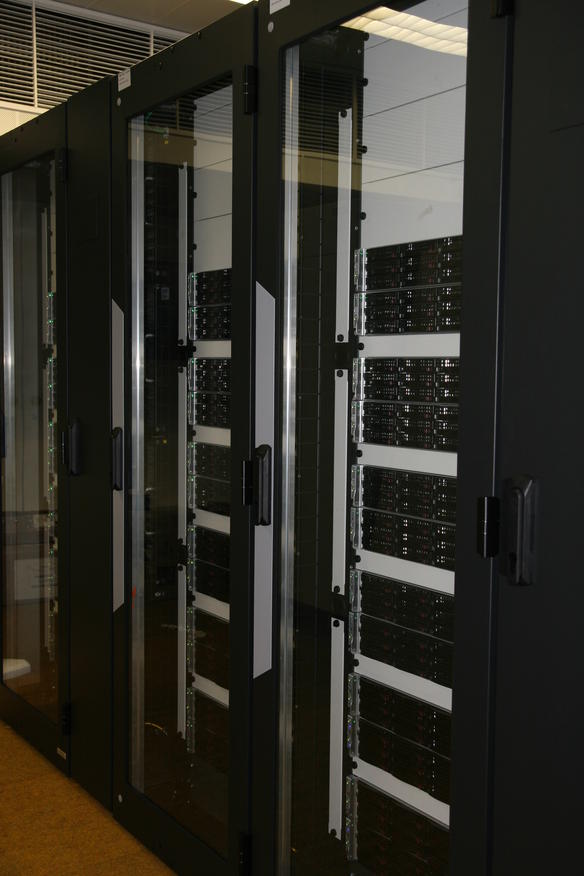
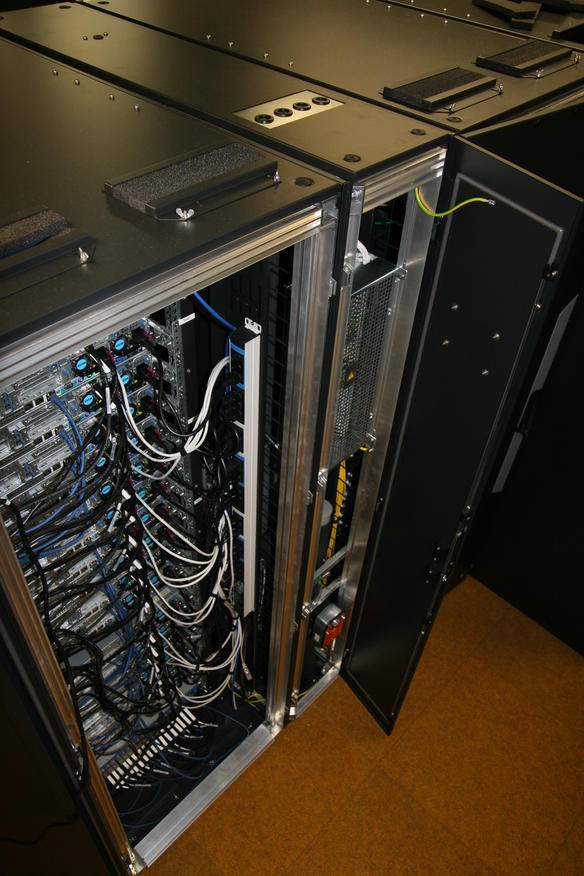
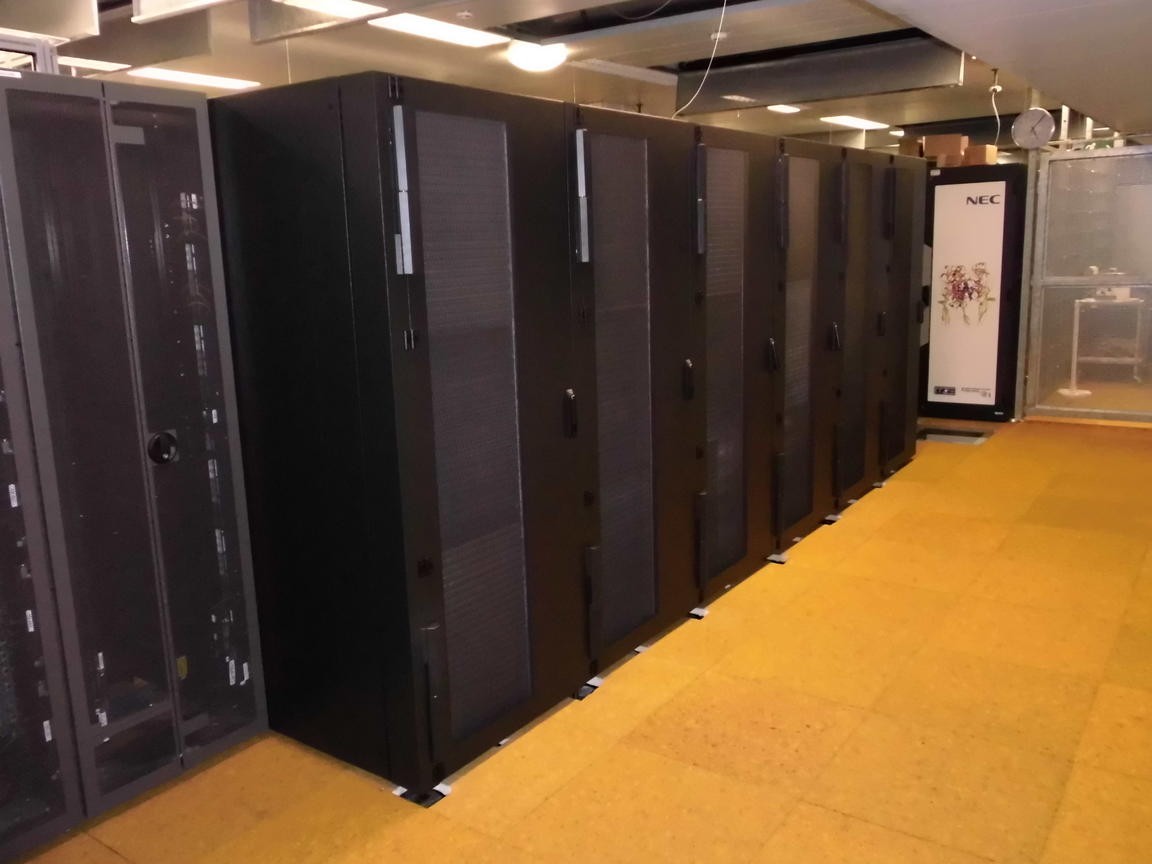
Auschnitt der LiMa-Rack-Reihe


TinyFat-Rack und eine Kühleinheit

21. September 2010

Rechnerzuwachs und Generationswechsel bei den HPC-Clustern am RRZE

Thomas Zeiser, 11:00 Uhr in HPC-Cluster@RRZE

Vorarbeiten

Kabeltrassen, Stromverteilung und Kaltwasserverrohrung im Doppelboden.

Rechnerzuwachs klingt doch recht bescheiden, aber so sind wir eben. Dennoch ist am RRZE seit Wochen eine deutlich erhöhte Betriebsamkeit und Bautätigkeit zu beobachten. Es werden dicke Wasserrohre (15 cm Durchmesser) geschleppt und vom Keller bis in den ersten Stock verlegt und zusammengeschweißt, die Decken durchlöchert (Kernbohrungen mit bis ca. 25 Durchmesser für die Kaltwasserrohre inkl. deren Isolierung), neue Stromleitungen (Kabel mit ca. 5cm Durchmesser) verlegt und Vorbereitungen für einen neuen Trafo getroffen, der Doppelboden in Teilen des Rechnerraums verstärkt, etc. — nicht zuletzt wurde zuvor bereits der ehemalige Medizinbereich im Rechnerraum freigeräumt und auch einige ISER-Stücke mussten für die HPC-Installation weichen (finden aber z.T. in anderen Bereichen des Rechnerraums wieder Unterschlupf).

Anlieferung der Rechenknoten

... bis auf 5 Paletten war der gesamte Inhalt des Lasters für uns -- aber es war nicht der einzige LKW, der mit harter Ware für uns vorgefahren ist.


Anlieferung der Racks. Überall wo jetzt noch Löcher in den Bodenplatten zu sehen sind, werden Racks stehen.

Seit einer Woche Rollen nun schon immer wieder LKWs mit IT-Equipment an; inzwischen dürften es mehr als 60 Paletten mit Rechenknoten, Servern, Festplatten, Netzkomponenten, vielen vielen Kabeln, Racks und Kühleinheiten gewesen sein — so 5-10 Tonnen dürften da schon zusammengekommen sein.

Möglich wurde all dies durch einen Forschungsgroßgeräteantrag, zusätzliche Mittel von einigen Lehrstühlen und auch noch Restmittel aus dem Konjunkturpaket-II (letzteres speziell auch für diverse Bau-/Infrastrukturmaßnahmen), etc. …

Der neue HPC-Rechner wird LiMa heißen

  • Das Akronym LiMa entstand zunächst durch die Abkürzung zweier Leuchtturmprojekte aus dem Forschungsgroßgeräteantrag.
  • Wikipedia hat für Lima (mit kleinem “M”) auch viele Optionen zu Auswahl:
    Angefangen von der Hauptstadt Perus und weiterer Städte weltweit (geographische Angaben sind ja durchaus beliebt zur Benennung von IT-Dingen, vgl. nicht zuletzt Intel/AMD-Prozessoren),
    … über die malaysische/indonesische Zahl “fünf” oder die tibetische Bezeichnung für eine aus mindestens fünf verschiedenen Metallen bestehende Legierung zur Herstellung von Statuen und Glocken (wir haben mindestens fünf zentrale Bestandteile: Rechenknoten, Hochgeschwindigkeitsnetzwerk, paralleles Filesystem, Software und Stromversorgung/Kühlung)
    … bis hin zum Buchstaben “L” im ICAO-Buchstabieralphabet.
  • Nachdem der LiMa-Cluster aber etwas größer wird als TinyBlue, verglichen mit großen Clustern (z.B. JuRoPa am JSC/FZ-Jülich) aber noch klein ist, kann LiMa auch für Little Machine stehen. Hieran erkennt man die fränkische Bescheidenheit. Obwohl LiMa zum Zeitpunkt der Inbetriebnahme der leistungsstärkste Rechner (bezogen auf die Peak-Performance und wohl auch die Linpack-Leistung) sein wird und mit seinen 63.8 TFlop/s Peak einen (kleinen) Vorsprung vor dem HLRB-II mit 62.3 TFop/s hat, erscheint “SuperFranke”, “SuperERL” oder gar “SuperFranconianAdvancedCluster” (in Anlehnung an SuperMUC, dem aktuellen Beschaffungsprojekt am LRZ) unpassend und übertrieben …

Mal abwarten, welche Erklärung sich für das Akronym letztendlich durchsetzen wird …

Zurück zu den harten Fakten des LiMa-Clusters

Im Rahmen eines europaweiten Ausschreibungsverfahrens wurde die HPC-Lösung mit dem besten Preis-Leistungsverhältnis bestimmt, wobei das Gesamtbudget vorgegebenem war. Neben der Menge der Hardware spielte dabei insbesondere auch die zugesicherte Leistung für einen typischen Erlanger Applikationsmix eine zentrale Rolle. Neun Firmen haben Ende Mai gültige Angebote abgegeben. Als Gewinner der Ausschreibung und somit Lieferant des LiMa-Clusters ist NEC hervorgegangen (Link zur NEC-PRessemeldung).

Der jetzt installierte Cluster stammt aus der NEC LX-2400 HPC-Cluster-Serie und umfasst:

  • 500 Rechenknoten mit jeweils zwei Intel Xeon 5650 Prozessoren (6-Core Westmere 2,66 GHz), 24 GB DDR3 RAM, QDR-Infiniband, ohne lokale Festplatte; jeweils 4 Rechenknoten sind dabei in einem 2U hohen Gehäuse untergebracht (“Twin2″); insgesamt sind es also 6000 (physikalische) Rechenkerne und knapp 12 TB (verteilter) Hauptspeicher
  • paralleles Filesystem (NEC LXFS = auf Lustre-Basis) mit 120 TB Nutzkapazität auf rund 180 Festplatten (inkl. RAID6-Parity-Platten und Hot-Spare-Platten) und einer aggregierten Bandbreite von 3 GB/s zur kurzfristigen Ablage von Simulationsdaten
  • QDR-Infiniband-Netzwerk mit vollständiger Fat-Tree Topologie ohne Ausdünnungen
  • 11 geschlossene Racks mit beigestellten Kühleinheiten (=> Rechenknoten); 3 offene Racks (=> Netzwerkkomponenten, Storage, Login- und Managementserver)
  • CentOS 5.5 als Betriebssystem, torque/maui als Batchsystem, …

Aktueller Stand der LiMa-Installation

Verlegung der Infiniband-Verkabelung.

Die NEC-Mitarbeiter kämpfen derzeit noch fleißig mit dem Verlegen der Kabel (insgesamt knapp 2000 Stück; insbesondere die Infiniband-Kabel sind dabei auch noch unhandlich dick) …

Auch die Kaltwasserverrohrung vom Keller bis hoch in den Rechnerraum im 1. OG ist noch nicht vollständig fertiggestellt.

Die Arbeiten gehen aber grundsätzlich zügig voran. Die erste Inbetriebnahme wird jedoch trotzdem noch ein paar Tage auf sich warten lassen — rechtzeitig vor der Frist für die Einreichung zur nächsten Top500-Liste, die im November veröffentlicht wird, sollte jedoch alles laufen. Nicht dass wir auf den Linpack-Wert besonders scharf sind, aber es schadet sicherlich nicht, wenn Franken mal wieder im vorderen Mittelfeld der Top500 sichtbar ist …

Auf die Frage, wann denn der reguläre Benutzerbetrieb beginnt, gibt es eine sehr einfache FAQ-Antwort: wenn alles fertig ist und stabil läuft. Nicht früher und auch nicht später. Weitere Fragen nach einem Termin erübrigen sich damit hoffentlich.

Komplementäre Ergänzung durch TinyFat

Parallel zu LiMa wurden in einem weiteren gekühlten Rack dicke Knoten für Anwender mit hohem Hauptspeicherbedarf beschafft und durch das RRZE installiert:

  • 17 Knoten (HL DL385G7) mit jeweils zwei 8-Core AMD MagnyCours Prozessoren (2,3 GHz), 128 GB Hauptspeicher und ebenfalls QDR-Infiniband
  • 1 Knoten (HP DL580G7) mit vier 8-Core Intel Nehalem EX Prozessoren und 512 GB (=0.5 TB) Hauptspeicher

TinyFat — der Ursprung für den Namen dürfte klar sein — geht in den Betrieb, sobald die Kühlung der Knoten sichergestellt ist, d.h. die Kühleinheiten mit Kaltwasser aus der zentralen Kälteversorgung verbunden sind.

Betriebsende für (weitere) Teile des “Cluster32″ steht bevor

Bereits im vergangenen Jahr musste der älteste Teil des alten Cluster32 (“Transtec-Cluster”) mit den snode0xx-Knoten für TinyBlue weichen. Nachdem jetzt insbesondere mit LiMa so viel neue Hardware gekommen ist, wird in den nächsten Monaten wohl der nächste Teil des “Cluster32″ außer Betrieb genommen werden. Insbesondere die beiden Racks mit den snode1xx-Knoten sind nach über 5 Jahren Betrieb nicht mehr wirklich auf der Höhe der Zeit, obwohl die Knoten durchaus noch immer gut ausgelastet sind. Neun (seit der letzten Abschaltung evtl. auch ein paar mehr) der ursprünglich einmal 64 Knoten mit je zwei “Nocona”-CPUs (d.h. der ersten Generation von Intel NetBurst-Prozessoren mit “EM64T”) sind aufgrund von Hardwaredefekten sowieso bereits aus …

2009 ist also die 32-bit Ära bei uns mit der Abschaltung der snode0xx-Knoten zu Ende gegangen, 2010 wird mit der Abschaltung der snode1xx-Knoten dann auch noch die Single-Core-Ära für HPC@RRZE beendet werden. Willkommen im reinen Multi-/ManyCore-Zeitalter

Details zur Abschaltung werden aber noch rechtzeitig folgen.

7. September 2010

slight change of the Intel compiler modules: MKL modules loaded automatically

Thomas Zeiser, 16:07 Uhr in HPC-Cluster@RRZE

Starting from today, our intel64 compiler modules for version 11.0 and 11.1 of the Intel compilers will automatically load the MKL module corresponding to the bundled version in the Intel Processional Compilers, too.

  • If you do not use MKL, this change will not affect you.
  • If you want (or have) to use a different version of MKL, you have to load the MKL module before loading the compiler module OR you have to unload the automatically loaded MKL module before loading your desired version.

Motivation for this change was to make the compiler option -mkl work properly (or at least better), i.e. give the user a reasonable chance to find the MKL libraries at runtime. You still have to load the compiler (or mkl) module at runtime OR you have to add -Wl,-rpath,$MKLPATH explicitly to your linker arguments …

3. September 2010

Zuwachs im TinyGPU-Cluster

Thomas Zeiser, 12:20 Uhr in HPC-Cluster@RRZE

TinyGPU hat Zuwachs bekommen: tg010. Die Hardware-Ausstattung und aktuell auch die Software dieses “Fermi-Knotens” sind anders als bei den restlichen acht Knoten:

  • Ubuntu 10.04 LTS (statt 8.04 LTS) als Betriebssystem.
    Hinweis: Um lokal auf tg010 mit Intel Compilern <= 11.1 übersetzen zu können, muss [derzeit] das gcc/3.3.6 Modul geladen werden, da sonst libstdc++.so.5 nicht gefunden wird, da diese Bibliothek in Ununtu 10.04 nicht mehr enthalten ist. Das gcc/3.3.6-Modul wird nur zum Übersetzen benötigt – fertige Intel-Binaries laufen auch ohne problemlos.
  • Die Nvidia-Treiberversion ist inzwischen auf allen Knoten identisch; aktuell: 256.40 / seit 8. Sept. 2010 überall 256.53
  • /home/hpc und /home/vault sind (nur) per NFS gemountet (und nativ via GPFS-Cross-Cluster-Mount)
  • Dual-Socket-System mit Intel Westmere X5650 (2.66 GHz) Prozessoren mit 6 physikalischen Kernen pro Socket (statt Dual-Socket-System mit Intel Nehalem X5550 (2.66 GHz) mit 4 physikalischen Kernen pro Socket)
  • 48 GB DDR3 RAM (statt 24 GB DDR3 RAM)
  • 1x NVidia Tesla C2050 (“Fermi” mit 3 GB GDDR5 mit ECC)
  • 1x NVidia GTX 280 (Consumer-Karte mit 1 GB RAM – war früher im Testcluster)
  • 2 weitere PCIe2.0 16x Slots werden in Q4 wohl noch mit NVidia C2070 Karten (“Fermi” mit 6 GB GDDR5 mit ECC) bestückt werden
  • statt 2x NVidia Tesla M1060 (“Tesla” mit 4 GB RAM) wie in den restlichen TinyGPU-Knoten
  • SuperServer 7046GT-TRF / X8DTG-QF mit Dual Intel 5520 (Tylersburg) Chipset statt SuperServer 6016GT-TF-TM2 / X8DTG-DF mit einem Intel 5520 (Tylersburg) Chipset

Um den “Fermi-Knoten” anzufordern, müssen Jobs :ppn=24 verwenden (statt :ppn=16) und explizit in die neue TinyGPU-Queue fermi submittiert werden. Das Laufzeitlimit ist wie üblich 24h. Ob ECC auf der Fermi-Karte aktuell ein- oder ausgeschaltet ist, wird beim Jobstart angezeigt.

27. April 2010

Remotevisualisierung mit VirtualGL

Thomas Zeiser, 17:44 Uhr in HPC allgemein, HPC-Cluster@RRZE

Das RRZE hat seit Ende 2009 acht Rechenknoten mit jeweils zwei NVIDIA Tesla M1060 Grafikkarten (baugleich zur C1060 jedoch rein passiv gekühlt) und DDR-Infiniband-Vernetzung: TinyGPU-Cluster

Diese Rechner können nicht nur als Rechenknechte (via CUDA oder OpenCL) genutzt werden, sondern auch zur Remote-Visualisierung mittels VirtualGL). Das LRZ betreibt zum gleichen Zweck bereits seit längerer Zeit einige leistungsfähige Systeme: LRZ-Dienst Visualisierung

Das GPU-Cluster am RRZE ist als experimentelles Forschungscluster ausgelegt. Daher ist, sowohl was CUDA/OpenCL als auch die Remote-Visualisierung betrifft, stets mit Änderungen zu rechnen, insbesondere da derzeit die Umstellung von CUDA-Tookit 2.3 auf Version 3.0 ansteht, was mit einem Upgrade des NVIDIA-Kernel-Treibers verbunden ist. (Update August 2010: inzwischen läuft sogar schon 3.1)

Um VirtualGL nutzen zu können, muss auf dem lokalen Rechner entweder VirtualGL (inkl. TurboJPEG oder libjpeg-turbo) oder aber TurboVNC (oder TigerVNC) installiert sein. Wenn dann eine Remote-Visualisierung ansteht, besorgt man sich auf TinyGPU am besten einen interaktiven Batchjob (ggf. auf einem bestimmten Knoten, da VirtualGL derzeit nicht auf allen Knoten installiert ist). Während der Batchjob läuft, kann man sich auf dem entsprechenden Knoten auch direkt per SSH einloggen. Sofern man VirtualGL nativ verwendet (bietet sich von Linux-Clients aus an), so verwendet man ein vglconnect -s kennung@tgXXX um auf den reservierten Knoten zu kommen. Dort kann man dann die Grafik-intensive Applikation mit vglrun a./out starten. (Für STAR-CCM+ muss vglrun -nodl starccm+ verwendet werden, wenn STAR-CCM+ im parallelen Modus laufen soll.) Wie man die beide GPUs via VirtualGL sinnvoll nutzen kann, ist derzeit noch unklar.

Bezüglich der aktuellen Konfiguration und weiterer Nutzungshinweise wenden Sie sich bitte an die HPC-Gruppe.

Seit 19. Juli 2010 muss die Eigenschaft virtualgl explizit von den Jobs angefordert werden, damit beim Jobstart ein X-Server gestartet wird.

18. August 2010: VirtualGL ist derzeit leider auf dem TinyGPU-Cluster nicht verfügbar. Wir hoffen, dass VirtualGL in Kürze wieder bereitgestellt werden kann.

30. August 2010: VirtualGL ist jetzt wieder auf dem TinyGPU-Cluster verfügbar, nachdem der Linux-Kernel aktualisiert wurde.

Nach oben